An employee leaves the company.
Human resources completes the exit interview. Company keys are returned. Office access badges are deactivated.
But what happens to the employee’s digital access?
Days or weeks later, the former employee may still have access to corporate email, shared folders, cloud applications, customer information, or company documents.
For many small and medium-sized enterprises (SMEs), employee offboarding is still treated primarily as an HR process rather than a cybersecurity process.
That creates a dangerous gap.
A former employee may no longer have a physical key to the office, but an old username, active session, shared password, personal device, or forgotten application permission can potentially remain a digital key to company information.
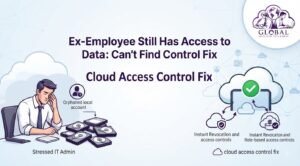
This is why Cloud Access Control SME strategies are becoming increasingly important for growing businesses.
Centralized identity management, role-based permissions, multi-factor authentication, access reviews, and documented offboarding procedures can help businesses reduce unnecessary access and protect sensitive information when employees leave.
Why Cloud Access Control SME Security Matters
Employees need access to company systems to do their jobs.
But that access should not continue indefinitely.
A good access management strategy follows a simple principle:
Employees should have the access they need, for as long as they need it, and no more.
When someone leaves the company, their access should be reviewed and removed as part of a coordinated offboarding process.
The challenge is that modern businesses rarely use just one system.
An employee might have access to:
- Cloud storage
- CRM
- Accounting software
- ERP
- Project management tools
- Shared drives
- Customer databases
- HR systems
- Marketing platforms
- Communication applications
If these accounts are managed independently, offboarding becomes increasingly difficult.
A centralized Cloud Access Control SME approach can make identity and permission management more consistent.
The Hidden Security Flaw of Decentralized Access
Traditional local file servers, unmanaged folders, and disconnected applications can create several offboarding vulnerabilities.
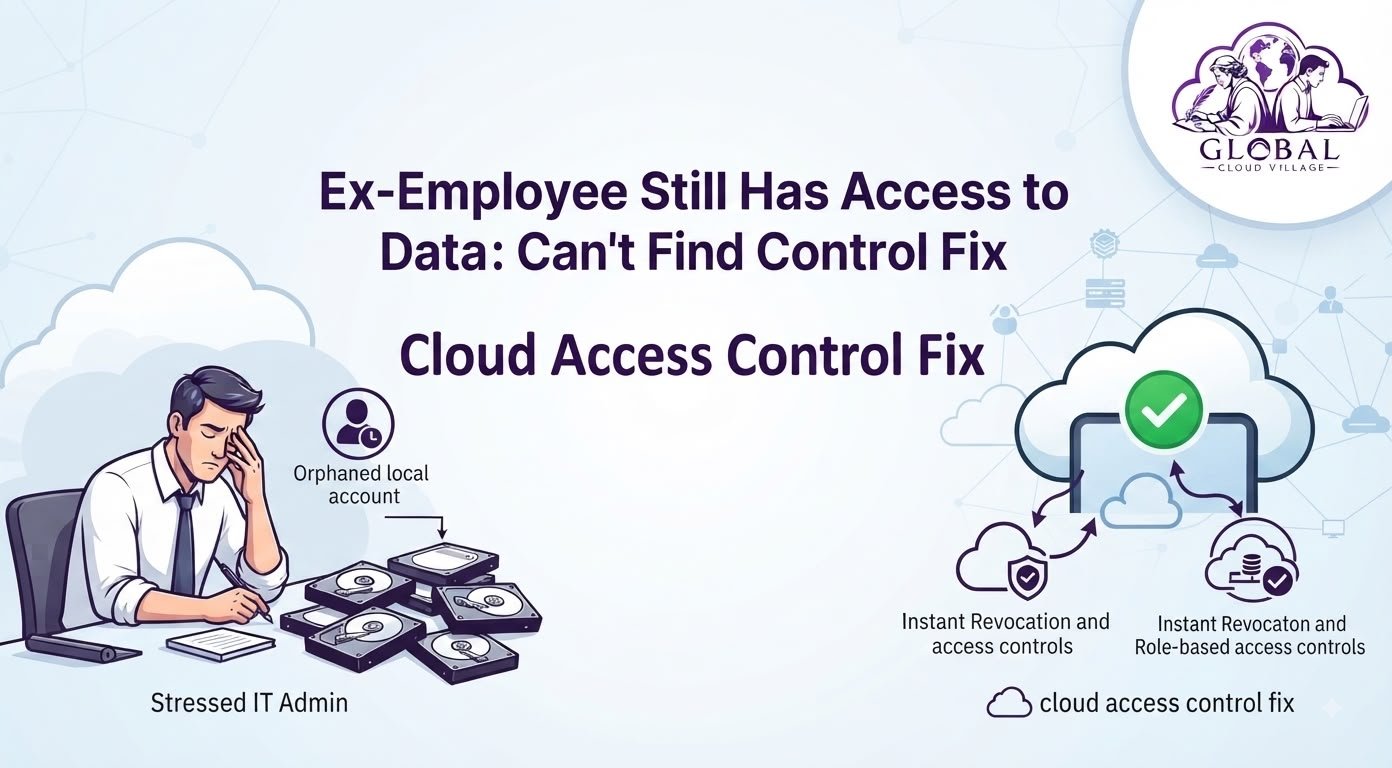
Orphaned Accounts
An employee may leave while their accounts remain active.
This can happen when managers forget to notify IT, an application is managed separately, or an old account is simply overlooked.
An unused account is still an account that needs to be controlled.
Excessive Permissions
Employees sometimes accumulate access over time.
They may start in one department and later receive access to additional systems.
If those permissions are never reviewed, an employee can end up with far more access than their current role requires.
Uncontrolled Data Copies
Even after cloud access has been revoked, information may already have been downloaded to personal devices, external drives, or other locations.
Access control therefore needs to be combined with data protection policies and appropriate employee offboarding procedures.
Limited Visibility
If businesses cannot easily see who has access to which systems, it becomes difficult to determine whether permissions are appropriate.
Centralized identity and audit capabilities can make this review process easier.
The Employee Offboarding Risk Chain
A weak offboarding process can look like this:
Staff Departure → Manual HR Notification → Forgotten Account → Lingering Access → Unauthorized Data Exposure
A stronger process looks like:
Staff Departure → Automated/Coordinated Offboarding → Account Deactivation → Session Revocation → Permission Review → Secure Data Transfer
The objective is not simply to delete an employee.
The objective is to securely transfer their business responsibilities while removing unnecessary access.
The Cloud Access Control Solution
A properly designed cloud environment can give SMEs greater control over users, permissions, applications, and company files.
Centralized User Management
Instead of managing access separately across numerous computers and servers, organizations can use centralized identity management.
This makes it easier to:
- Create accounts
- Disable accounts
- Assign permissions
- Review access
- Enforce authentication policies
- Monitor account activity
The exact capabilities depend on the cloud platform and identity system being used.
Role-Based Permissions
Not every employee should have access to every company document.
A finance employee may need access to financial records.
A salesperson may need CRM access.
A designer may need access to creative project folders.
An administrator may need broader privileges.
Role-based access helps align permissions with job responsibilities.
Multi-Factor Authentication
MFA provides another layer of protection if credentials are compromised.
It should be part of a broader access security strategy, particularly for administrators and employees with access to sensitive information.
Activity and Audit Logs
Cloud platforms can provide activity information showing account sign-ins, administrative actions, file activity, and other events depending on the platform.
These records can help organizations investigate suspicious activity and review how company systems are being used.
Step-by-Step Blueprint for Cloud Access Control SME Security
1. Create an Access Inventory
Start by identifying every system employees use.
Document:
- Email accounts
- Cloud storage
- CRM
- ERP
- Accounting systems
- Project management tools
- Shared folders
- Communication platforms
- Marketing systems
- Administrative accounts
You cannot effectively control access that you do not know exists.
2. Map Employees to Their Permissions
Create a basic access matrix.
For each employee, identify:
Role → Applications → Files → Permission Level
This helps identify unnecessary access.
3. Centralize Identity Management
Where practical, connect business applications to a centralized identity and access management system.
This can make employee onboarding, role changes, and offboarding more consistent.
4. Establish a Digital Offboarding Checklist
The HR exit process should trigger a digital security process.
A practical checklist may include:
Disable user account
Revoke active sessions
Reset or transfer relevant credentials
Remove application permissions
Review shared mailbox access
Transfer ownership of business files
Remove access from shared drives
Review external sharing
Recover company devices
Review privileged access
The exact steps should depend on your systems and organizational policies.
5. Review File Ownership
Employees often create documents that the business still needs after they leave.
Before disabling an account, identify important business files and transfer ownership or responsibility to an appropriate manager or team.
This prevents the organization from losing access to its own work.
6. Review External Sharing
Cloud files may have been shared with:
- Personal email addresses
- External contractors
- Customers
- Suppliers
- Former employees
Review external sharing permissions as part of the offboarding process.
7. Enforce MFA
Require MFA for active accounts, especially:
- Administrators
- Finance staff
- Executives
- HR personnel
- Employees with sensitive customer information
- Employees with privileged access
8. Conduct Regular Access Reviews
Offboarding is not the only time permissions should be reviewed.
Employees change departments.
Responsibilities change.
Projects end.
Temporary permissions become unnecessary.
Conduct periodic access reviews to identify permissions that should be removed.
The Access Control Comparison Matrix
| Security Factor | Traditional Local Network Storage | Modern Cloud Access Control | Security Benefit |
| Offboarding | Manual account and folder removal | Centralized account management | More consistent access revocation |
| Permissions | Often broad shared-folder access | Role-based permissions | Reduced unnecessary access |
| User Visibility | Difficult to maintain across systems | Centralized identity visibility | Easier access reviews |
| Activity Monitoring | Limited or fragmented | Platform-dependent audit and activity logs | Better investigation capability |
| MFA | May require separate configuration | Commonly available through identity platforms | Stronger account protection |
| File Ownership | Often tied to individual users or computers | Can be transferred through supported platforms | Better business continuity |
| External Sharing | Difficult to track consistently | Centralized sharing controls in supported platforms | Reduced accidental exposure |
The Five-Minute Offboarding Myth
Many businesses assume employee offboarding is simply:
“Disable their email and take their laptop.”
That is no longer enough.
Modern employees may have access to dozens of cloud services.
They may also have:
- Mobile devices
- Browser sessions
- Saved credentials
- API integrations
- Shared folders
- Third-party applications
- Personal devices
- External file-sharing links
A serious offboarding process needs to consider the complete digital identity of the employee.
What Happens to Company Files After an Employee Leaves?
This is an important question that businesses should answer before the employee’s final day.
Important business files should remain under organizational control.
Depending on the platform, administrators may be able to transfer ownership, preserve files, move documents into shared repositories, or assign access to another employee.
The objective is to ensure that:
The employee leaves. The company’s information does not.
This is one of the major advantages of designing company information around shared organizational repositories rather than individual employee accounts.
Protect Sensitive Data With Least Privilege
The principle of least privilege means users should receive only the access necessary to perform their responsibilities.
For example, a junior employee may not need access to:
- Executive compensation
- Company banking information
- HR records
- Legal documents
- Acquisition plans
- Customer databases
- Administrative settings
Reducing unnecessary permissions limits the potential impact of compromised accounts and internal mistakes.
Don’t Rely on Cloud Access Control Alone
Cloud access control is an important security layer, but it is not a complete cybersecurity strategy.
Organizations should also consider:
- MFA
- Endpoint security
- Employee training
- Data loss prevention
- Backup
- Encryption
- Incident response
- Password management
- Security monitoring
- Vendor access
- Device management
The goal is to build multiple layers of protection.
Build a Cloud Access Control SME Checklist
Before considering your access management process mature, review the following:
Every employee account identified
Every critical application documented
User permissions mapped to roles
Administrative accounts reviewed
MFA enabled
Former employee accounts disabled
Active sessions revoked when appropriate
External sharing reviewed
Business file ownership transferred
Company devices recovered
Third-party application access reviewed
Access logs available where supported
Periodic access reviews scheduled
Digital offboarding process integrated with HR
This checklist gives SMEs a practical foundation for improving access governance.
Conclusion: Centralize Access, Protect Company Information
An employee leaving the company should automatically trigger a digital security process.
The physical keys may be returned.
The laptop may be collected.
The office badge may be disabled.
But the digital keys also need to be removed.
A well-designed Cloud Access Control SME strategy helps organizations centralize identity management, apply appropriate permissions, enforce MFA, monitor activity, and create a consistent employee offboarding process.
The objective is not to make access complicated.
It is to make access intentional.
Employees should have the information they need to perform their jobs.
Former employees should no longer have unnecessary access.
And management should be able to understand who can access critical company information.
Your employees may change.
Your business systems should not lose control of your data when they do.
Frequently Asked Questions About Cloud Access Control SME
How Quickly Can a Cloud System Revoke an Ex-Employee’s Access?
The actual timing depends on the identity platform, applications, active sessions, synchronization, and configuration.
Centralized identity systems can make account deactivation much faster and more consistent than manually removing permissions across individual systems.
However, businesses should not assume that disabling one account automatically removes every possible access path.
What Happens to Files Created by a Departed Employee?
Important business files should be transferred to the appropriate team, manager, or organizational repository according to your company’s policies and the capabilities of the platform.
The goal is to preserve business continuity while removing the former employee’s unnecessary access.
Can an Ex-Employee Still Access Files From a Personal Laptop?
If access has not been properly revoked, potentially yes.
Businesses should consider active sessions, application access, saved credentials, device management, shared links, and other access paths when completing an employee’s digital offboarding.
Is Cloud Access Control Difficult for Small Businesses?
Modern identity and cloud platforms can simplify many access management tasks.
However, the technology still needs appropriate configuration.
A small business should establish clear roles, permissions, MFA requirements, offboarding procedures, and periodic access reviews.
How Often Should SME Access Permissions Be Reviewed?
Access should be reviewed whenever employees join, leave, change roles, or receive temporary permissions.
Businesses should also conduct periodic reviews of critical systems to identify unnecessary or outdated permissions.
Scale Your Enterprise Infrastructure With Greater Clarity
Eliminating data security blind spots and modernizing your technology stack can help your SME build a more controlled and resilient operation.
The objective is not simply to move files to the cloud.
It is to create a structured environment where users, applications, documents, and permissions are managed intentionally.
Get your copy of Global Cloud Village and 4 Day Work Week on Amazon:
For more publications and resources, explore the Amazon Author Profile.
About the Author: Global Cloud Village
Global Cloud Village translates complex digital technology systems into clear, human-centric strategies for growing SMEs, founders, and industry leaders.
We help businesses replace clunky, fragmented legacy processes with practical cloud architectures, automation, digital transformation, and operational strategies that support sustainable growth.
Explore more business optimization insights at globalcloudvillage.com.