An employee needs to share a finalized client proposal, an updated financial spreadsheet, or a vendor contract with a colleague.
Instead of opening the company’s official document system, they pick up their phone, open WhatsApp, attach the document, and hit Send.
It takes seconds.
It also creates a security problem that many small and medium-sized enterprises (SMEs) overlook.
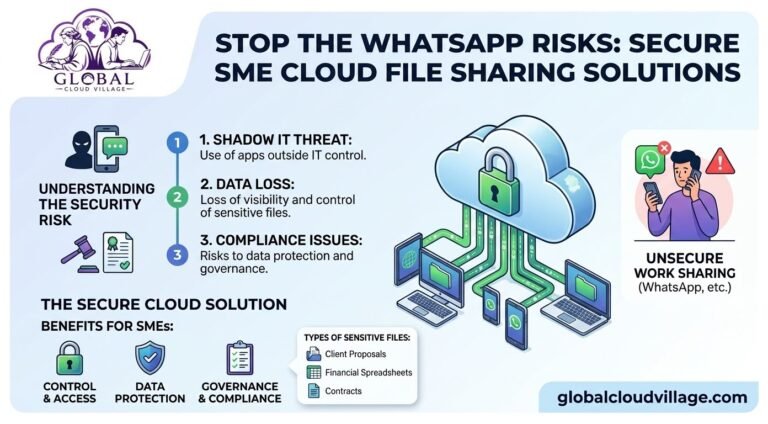
Consumer messaging applications are convenient, but they were not necessarily designed to serve as a company’s central document management system. When employees routinely send business documents through personal messaging accounts and devices, the organization can lose visibility and control over where sensitive information is stored.
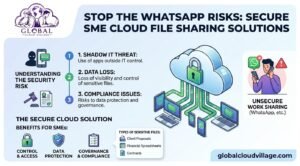
This practice is commonly associated with Shadow IT, where employees use technology outside the organization’s approved systems and security controls.
The solution is not simply to ban WhatsApp.
The better approach is to provide employees with a faster, easier, and more secure alternative for sharing business documents.
That is where Secure File Sharing SME Cloud solutions can help.
Why Secure File Sharing SME Cloud Matters
Businesses exchange sensitive documents every day.
These may include:
- Client proposals
- Contracts
- Financial spreadsheets
- Price lists
- Employee documents
- Customer databases
- Marketing plans
- Product information
- Vendor agreements
- Internal reports
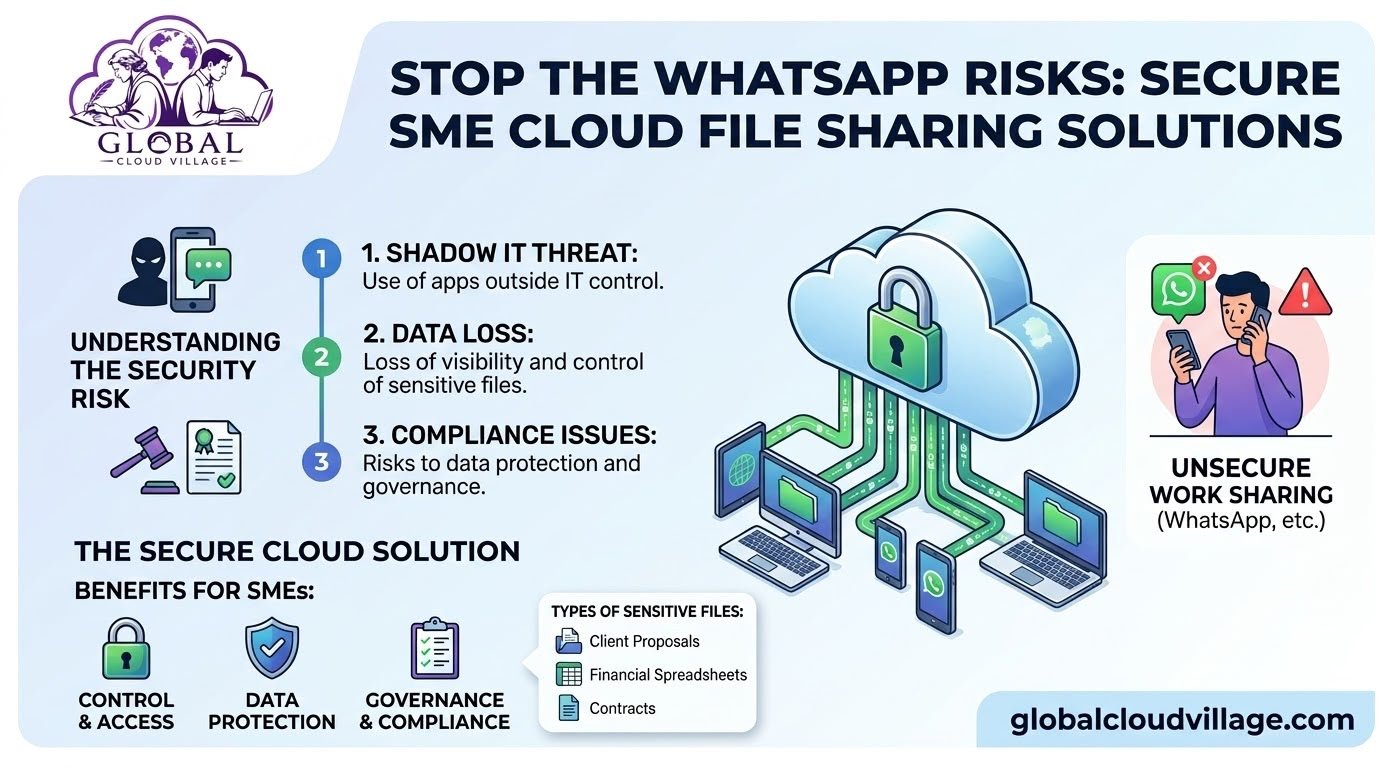
When these files move through uncontrolled communication channels, the company may lose visibility into who has the file, where it has been downloaded, and whether access should still exist.
A centralized cloud environment changes the workflow.
Instead of sending multiple copies of a document through different chat conversations, employees can share a controlled cloud link to the original file.
The company maintains a central source of truth while employees still get the speed and convenience they need.
The Hidden Dangers of Sending Work Files on WhatsApp
Allowing employees to routinely send business files through consumer messaging applications can introduce several security and governance challenges.
1. Uncontrolled Data Copies
Once a business document is sent to a personal device, additional copies may exist outside the company’s managed environment.
The recipient may download the file, forward it, save it to another application, or retain it after leaving the company.
This makes centralized data governance much harder.
2. Limited Corporate Control
A company may be able to disable an employee’s corporate account when they leave.
But that does not automatically remove every copy of a document previously downloaded to a personal device.
This is one reason secure cloud document management is preferable to uncontrolled file distribution.
3. Shadow IT Growth
When employees repeatedly use consumer applications because official systems are inconvenient, the problem is usually bigger than one WhatsApp conversation.
Employees may also begin using:
- Personal email
- Personal cloud drives
- USB storage
- Unapproved file-transfer services
- Personal messaging applications
Over time, these workarounds create a fragmented technology environment.
4. Compliance and Privacy Challenges
Businesses handling customer, financial, employee, or confidential information need appropriate controls over how data is stored and shared.
Uncontrolled file transfers make it more difficult to demonstrate:
- Who accessed information
- Who received information
- Where documents are stored
- Whether permissions remain appropriate
- Whether old access should be revoked
The exact legal requirements depend on the business, industry, and jurisdiction.
The WhatsApp File Sharing Risk Chain
A typical uncontrolled workflow looks like this:
Work File → WhatsApp Message → Personal Device → Downloaded Copy → Forwarded/Stored Elsewhere → Reduced Corporate Visibility
A secure cloud workflow can instead look like:
Central Cloud File → Controlled Permission → Secure Link → Authorized Employee → Activity & Version Tracking
The second model gives management significantly greater control over business information.
The Secure File Sharing SME Cloud Solution
A centralized cloud collaboration environment provides a practical alternative to sending attachments through consumer messaging applications.
Platforms such as Microsoft 365, Google Workspace, Zoho, Odoo, and other business cloud systems can provide different combinations of document management, collaboration, permissions, and auditing.
The correct platform depends on your company’s requirements.
Centralized Document Storage
Instead of creating multiple copies of the same proposal or spreadsheet, employees can work from a centralized repository.
The latest approved version remains in one location.
This reduces confusion around files such as:
Proposal_Final.docx
Proposal_Final_v2.docx
Proposal_Final_NEW.docx
Proposal_Final_NEW2.docx
A centralized document environment provides a much cleaner workflow.
Role-Based Access Control
Employees should not automatically have access to every company document.
Cloud platforms can allow administrators to control access based on:
- Department
- Job role
- Project
- Document type
- Management level
- External collaborator status
This follows the principle of giving users only the access they need.
Controlled File Sharing
Instead of attaching a sensitive spreadsheet to a WhatsApp conversation, an employee can share a secure cloud link.
Depending on the platform, administrators may be able to control:
- Who can access the file
- Whether they can edit it
- Whether they can download it
- How long access remains active
- Whether external sharing is permitted
Version History
Cloud document systems may maintain previous versions of files.
If someone makes an unwanted change, authorized users may be able to restore an earlier version instead of trying to reconstruct the document manually.
Centralized Activity Monitoring
Business cloud platforms may provide activity information showing interactions with files and accounts.
This can improve visibility compared with documents being distributed across individual chat conversations.
Step-by-Step Blueprint for Secure File Sharing SME Cloud
1. Audit How Employees Currently Share Files
Ask your teams:
Where do you send client documents?
Do employees use WhatsApp for work files?
Are personal email accounts being used?
Are employees storing company files on personal cloud drives?
How are files shared with remote employees?
You may discover significant Shadow IT that management was unaware of.
2. Identify High-Risk Documents
Not every file requires the same level of protection.
Prioritize documents containing:
- Financial information
- Customer information
- Employee information
- Contracts
- Intellectual property
- Pricing information
- Business strategies
- Credentials or sensitive operational information
3. Deploy a Centralized Cloud Workspace
Choose a cloud document management and collaboration platform appropriate for your organization.
The platform should make secure file sharing easier than the informal alternative.
If the approved system is difficult to use, employees will continue searching for shortcuts.
4. Establish a Clear File-Sharing Policy
Create simple rules.
For example:
Company documents must be stored in approved business cloud storage.
Sensitive documents should not be shared through personal messaging accounts.
External recipients must receive controlled access.
Employees must not use personal cloud drives for company records.
5. Train Employees With Real Examples
Do not make the training purely theoretical.
Show employees the difference between:
WhatsApp Attachment
and
Controlled Cloud Link
Demonstrate how secure sharing can actually save time.
6. Monitor Adoption
Track whether employees continue using unauthorized channels.
If they do, investigate why.
The problem may be poor system usability rather than employee resistance.
The File Sharing Comparison Matrix
| Operational Factor | Consumer Messaging Apps | Secure Cloud File Sharing | Business Benefit |
| Data Location | Copies may exist on personal devices | Centralized business repository | Greater organizational control |
| Access Control | Limited business-level control | Role-based permissions | Reduced unauthorized access |
| File Versions | Multiple copies can circulate | Centralized version history | Less confusion |
| Employee Offboarding | Previously downloaded files may remain | Centralized account access can be revoked | Better offboarding control |
| Collaboration | Primarily attachment-based | Real-time collaboration on supported platforms | Faster workflows |
| Audit Visibility | Limited organizational visibility | Activity and sharing logs may be available | Better governance |
| Remote Access | Dependent on personal messaging accounts | Controlled access from approved devices | Better remote collaboration |
Stop Using WhatsApp as Your Company File Server
The biggest problem is not necessarily WhatsApp itself.
The problem is using an informal communication channel as a substitute for a properly managed document system.
Employees need messaging tools for communication.
They also need professional tools for managing company information.
When those two functions become mixed together, sensitive files can spread across personal devices, conversations, downloads, screenshots, forwarded messages, and uncontrolled storage locations.
A Secure File Sharing SME Cloud strategy separates communication from document management while keeping both convenient.
How to Make Employees Stop Sharing Files Through WhatsApp
Simply telling employees “Don’t use WhatsApp” is unlikely to solve the problem.
Instead, replace the behavior.
Make the Secure Option Faster
Employees should be able to find the required document quickly.
Make Sharing Simple
A secure link should take fewer steps than downloading and attaching a file.
Make Collaboration Better
Allow employees to comment, edit, review, and approve documents without repeatedly creating new copies.
Make Security Automatic
Where possible, configure permissions and policies centrally rather than expecting employees to understand every technical security requirement.
Make Management Accountable
Managers should reinforce the approved workflow.
If senior employees continue sending sensitive documents through personal messaging accounts, employees will naturally copy that behavior.
Protect Company Files When Employees Leave
Employee offboarding is another important reason to move away from uncontrolled file sharing.
When an employee leaves, administrators can disable their corporate cloud account and review their permissions.
This is much easier than attempting to identify every company document that was previously sent through personal messaging conversations.
A centralized cloud system therefore supports both:
Secure File Sharing
and
Secure Employee Offboarding
These should be treated as connected parts of the same information security strategy.
Frequently Asked Questions About Secure SME File Sharing
Why Is Sending Work Files on WhatsApp a Security Risk?
The primary concern is loss of organizational control.
Business files sent through personal messaging workflows may be downloaded, forwarded, copied, or retained on devices outside the company’s managed environment.
The exact risks depend on the company’s device management, policies, encryption, and how employees use the application.
Should SMEs Completely Ban WhatsApp?
Not necessarily.
WhatsApp may remain useful for informal communication or approved business use cases.
The important distinction is between communication and document management.
Sensitive company documents should generally be handled through systems that provide appropriate business-level storage, permissions, access management, and governance.
How Do We Stop Employees From Using WhatsApp for Company Files?
Give employees an easier alternative.
Deploy a cloud document platform, establish a clear policy, train employees, and make secure file sharing simple.
If the approved process takes longer than the unauthorized process, employees will continue searching for shortcuts.
Can Remote Employees Use Secure Cloud File Sharing?
Yes.
Cloud collaboration platforms are specifically designed to support distributed teams.
Authorized employees can access documents remotely while administrators maintain centralized control over permissions and accounts.
Can We Share Files With Clients Through Cloud Platforms?
Yes.
Many business cloud platforms support controlled external sharing.
Before enabling external access, configure appropriate permissions and determine whether recipients should be allowed to view, edit, download, or reshare documents.
Is Cloud Storage Automatically Secure?
No.
Cloud storage is not automatically secure simply because it is hosted in the cloud.
Security depends on the platform, configuration, authentication, permissions, device security, backup strategy, monitoring, and organizational policies.
Build a More Secure Digital Workplace
Employees will always look for convenient ways to get work done.
The goal of technology governance should not be to make work harder.
It should be to make the secure way the easiest way.
A well-designed Secure File Sharing SME Cloud environment allows employees to collaborate quickly while giving management greater control over sensitive business information.
Instead of asking:
“Why are our employees sending files through WhatsApp?”
Ask:
“Why is sending files through WhatsApp easier than using our official system?”
That question can reveal the real operational problem.
Fix the workflow, provide the right technology, train the team, and establish clear governance.
Your employees get convenience.
Your business gets control.
Your clients get better protection.
Scale Your Enterprise Infrastructure With Greater Clarity
Eliminating security blind spots and modernizing your workflow can help your SME build a more secure, efficient, and scalable operation.
Discover practical strategies for cloud infrastructure, digital transformation, productivity, and modern business operations through Global Cloud Village.
Get your copy of Global Cloud Village and 4 Day Work Week on Amazon:
For more publications and resources, explore the Amazon Author Profile.
About the Author: Global Cloud Village
Global Cloud Village translates complex digital technology systems into clear, human-centric strategies for growing SMEs, founders, and industry leaders.
We help businesses replace clunky, fragmented legacy processes with practical cloud architectures, automation, digital transformation, and operational strategies that support sustainable growth.
Explore more business optimization insights at globalcloudvillage.com.