Sales Guy Needs Files, But Office is Closed: Remote Access for SMEs
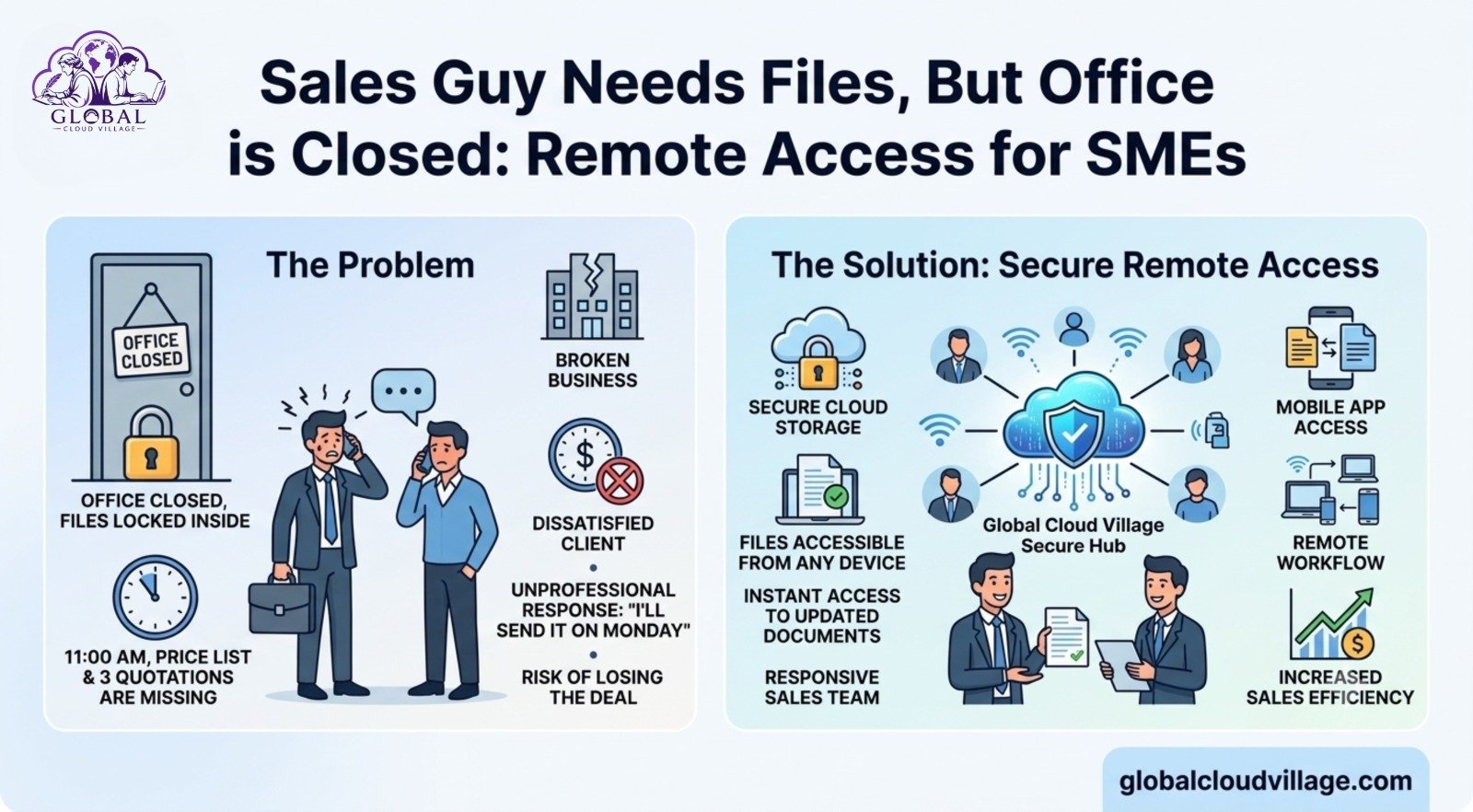
It’s 11 AM. Your sales guy calls from a client meeting.
“Sir, the client is asking for the updated price list and the last 3 quotations. Can you WhatsApp them?”
You check. The files are on the office PC. The office is closed. Friday. Load shedding. Or your staff took the day off.
Now what? You lose the deal. Or you look unprofessional saying “I’ll send it on Monday.”
This happens every week in small businesses. And in 2026, it’s costing you real money. The problem isn’t your sales guy. The problem is: your business files are locked inside the office.
Let’s fix that today.
Why Missing Remote Access for SMEs Keeps Happening
I’ve seen this pattern in 60+ businesses:
The “Office PC Server” Problem
All quotations, catalogs, and client files live on one computer. If that PC is off or the office loses power, no one can access anything.
WhatsApp and Email Chaos
Sales guys send files to themselves. You end up with filenames like:
- price_list_final.xlsx
- price_list_final2.xlsx
- price_list_final_USE_THIS_ONE.xlsx
Nobody knows which version is correct, leading to wrong quotes and lost margins.
No Secure Remote Access Strategy
Many owners think: “Just use TeamViewer.” But it’s slow, requires the office PC to remain switched on, and represents a massive security risk.
Result: The sales team is blind when they’re outside the office. And that’s where 90% of selling happens.
Your sales team should be able to open their phone and pull up a price list, product catalog, past quotations, or inventory in 60 seconds—without calling you and without waiting for the physical office to open.
4 Easy Ways to Implement Remote Access for SMEs
Here’s how forward-thinking small businesses set up operations in 2026 without hiring a dedicated IT team. Pick one method based on your budget and team size.
Method 1: Cloud Drive with Folder Structure (Fastest & Cheapest)
Tools: Google Drive, OneDrive, Dropbox Business
- Create clear folders: 01_Price Lists, 02_Catalogs, 03_Quotations, 04_Client Files.
- Upload the latest PDFs and Excel sheets. No more messy versions. Only use structured names like PriceList_July2026.pdf.
- Share the folder with the sales team’s corporate emails. Give them “View Only” access.
- Install the respective cloud drive app on their phones.
- Cost: ∼2500 PKR per user/month.
- Best for: 90% of small businesses. This solves 80% of the operational bottleneck immediately.
Method 2: Cloud CRM with Document Storage
Tools: HubSpot, Zoho CRM, Pipedrive
Every client gets a centralized profile. Inside that profile, you store all quotes, invoices, emails, and interaction files. The sales guy opens the CRM app, searches “ABC Company”, and instantly sees the entire transaction history.
- Why this is better: It’s not just file access; it’s context. He sees what was quoted last time, what the client said, and what’s pending.
- Best for: Teams with three or more salespeople where tracking “who said what” becomes difficult.
Method 3: Cloud ERP / Billing Software
Tools: QuickBooks Online, Zoho Books, Odoo Cloud
If your quotations and invoices originate from billing software, move that software to the cloud. Now, your sales reps can generate a professional quotation directly from their phone and send it on the spot while sitting with the prospect.
Authority Proof: According to Gartner research, companies using integrated cloud CRM and ERP systems saw a 27% faster deal closure rate simply because reps had real-time data access during active client meetings.
Method 4: Secure Cloud Desktop for Legacy Software
Tools: Parallels RAS, Azure Virtual Desktop
If you absolutely must use old desktop software that cannot be converted to a cloud version, this method creates a secure “virtual office PC” hosted in the cloud. Sales reps log in from a phone or laptop and run the software virtually.
- Best for: Manufacturing and distribution companies running custom legacy software. It is more expensive but highly secure.
Basic Security Rules for Remote Access for SMEs
Giving remote access is excellent for revenue, but doing it incorrectly introduces risk. Follow these three non-negotiable data protocols:
- Access Control: Sales should only see the Sales folder. An accountant should only see Finance. Use role-based permissions in your cloud drive or CRM.
- Version Control: Only one designated manager should upload the “official” price list. Turn on “Version History” so you can roll back unauthorized edits if needed.
- 2-Step Verification (2FA): Every user account must require 2FA. No exceptions. A lost smartphone should never mean compromised business data.
Real Case Study: From “Call the Office” to “Sent in 2 Minutes”
Consider a distribution company based in Karachi with five sales reps traveling on bikes. Every deal faced multi-hour delays because the reps kept saying, “Let me call the office to confirm the price and get back to you.”
We deployed a combination of Method 1 and Method 2 within three days:
- Moved all current price lists and visual catalogs to Google Drive.
- Set up a free HubSpot CRM containing clean client profiles.
The results within 30 days were stark:
- Average customer response time dropped from 4 hours down to 8 minutes.
- Three high-value deals were closed on the spot inside client meetings.
- The business owner completely stopped receiving frantic “where is the file” calls.
The sales guys felt empowered, the customers were impressed, and the owner captured more revenue without hiring extra administrative staff.
The 3 Pitfalls That Obstruct Remote Access for SMEs
- Uploading and Forgetting: Update your cloud sheets regularly. Stale price lists in the cloud lead to wrong quotes, honored errors, and lost money.
- Giving Everyone Admin Access: One accidental delete can wipe out directories. Use “Viewer” and “Editor” roles properly to protect your corporate data.
- No Training: Spend 30 minutes walking your sales team through searching and downloading. Record a short Loom video. If the tool feels complicated, they will simply stop using it.
How to Handle Internet and Power Issues
A common roadblock discussed by business owners is connectivity. Fortunately, modern cloud apps cater to this.
Google Drive and Dropbox support “Offline Mode”. The sales rep opens the required files once while connected to the internet, and they are cached directly to the device. Even without an internet connection inside a client’s basement office, the rep can present the PDF catalog flawlessly. For generating new quotes, a basic 4G mobile data connection is more than enough.
Conclusion: Sales Teams Can’t Sell What They Can’t Access
A sales representative without immediate access to files is like a chef stranded without ingredients.
In 2026, modern clients demand answers instantly. They do not want to wait for “let me check and get back to you on Monday.” If you make your team wait for the physical office doors to unlock, your competitor will take the client.
Deploying remote access for your team costs significantly less than losing a single major contract. It infuses your sales pipeline with speed, agility, and absolute confidence. Stop locking your business equity inside four physical walls. Put it in the cloud and watch your team do what they do best: sell.
Frequently Asked Questions About Remote Access for SMEs
Is remote access secure enough to protect sensitive client pricing and margins?
Yes, provided you use enterprise-grade cloud providers like Google Workspace or Microsoft 365 rather than personal accounts. By enforcing 2-Step Verification (2FA) and restricting sharing settings to “View Only” for external domains, your data remains far safer than it would on a physical laptop or USB drive susceptible to theft.
What happens if two sales reps attempt to update a client file simultaneously?
If you use cloud-native platforms like Google Sheets or Excel Online, the system handles co-authoring seamlessly in real time. You will see the other person’s edits as they type. Furthermore, built-in “Version History” allows you to view or restore previous versions with a single click if an accidental change occurs.
Do we need an expensive IT specialist to maintain cloud remote access?
Not for the methods outlined above. Basic cloud drives and SaaS CRMs are built specifically for non-technical users. Setting them up involves basic folder creation and entering email addresses to grant access. Maintenance usually requires nothing more than updating your files when your prices or products change.
Can remote access for SMEs tools track if our sales team is actually working?
Cloud CRMs and advanced cloud storage systems automatically create activity logs. You can easily view when a file was opened, when a quotation was generated, or when a client record was modified. This shifts your management focus away from tracking presence toward measuring actual operational output.
Ready to Optimize Your SME Operations?
This article maps out the core remote access strategies, but the complete framework includes setup checklists, folder structure templates, CRM data schemas, and security policy templates.
Get your copy of Global Cloud Village and 4 Day Work Week on Amazon:
About the Author: Global Cloud Village
Global Cloud Village shares practical insights on business growth, leadership, productivity, AI, and digital transformation. Our mission is to help entrepreneurs and SMEs build smarter businesses through digital automation, human-centric workflows, and actionable operational strategies. Find out more at globalcloudvillage.com.
Read
Global Cloud Village: Why Every SME Needs a Cloud-First Business Strategy