Staff Using Personal Gmail for Work: Professional Cloud Setup
It’s 9:00 PM. Your senior designer just resigned to take a lucrative freelance gig.
You revoke their access to the office Slack channel. You change the passwords to the company’s official social media profiles. You sit back and breathe a sigh of relief.
Then, a terrifying realization hits you.
For the last 14 months, that designer was using hamza.design99@gmail.com to sketch client logos, store master project vectors, and communicate with your premium accounts. All those source files, raw client feedback logs, and creative digital assets aren’t sitting on your company server.
They are sitting in Hamza’s personal Google Drive. And legally, you have a massive, expensive headache on your hands.
If your team is still running your business using free @gmail.com, @yahoo.com, or @outlook.com addresses, you are sitting on a ticking data time bomb. You are losing immediate credibility with high-value clients, leaking proprietary data through the back door, and risking total operational shutdown.
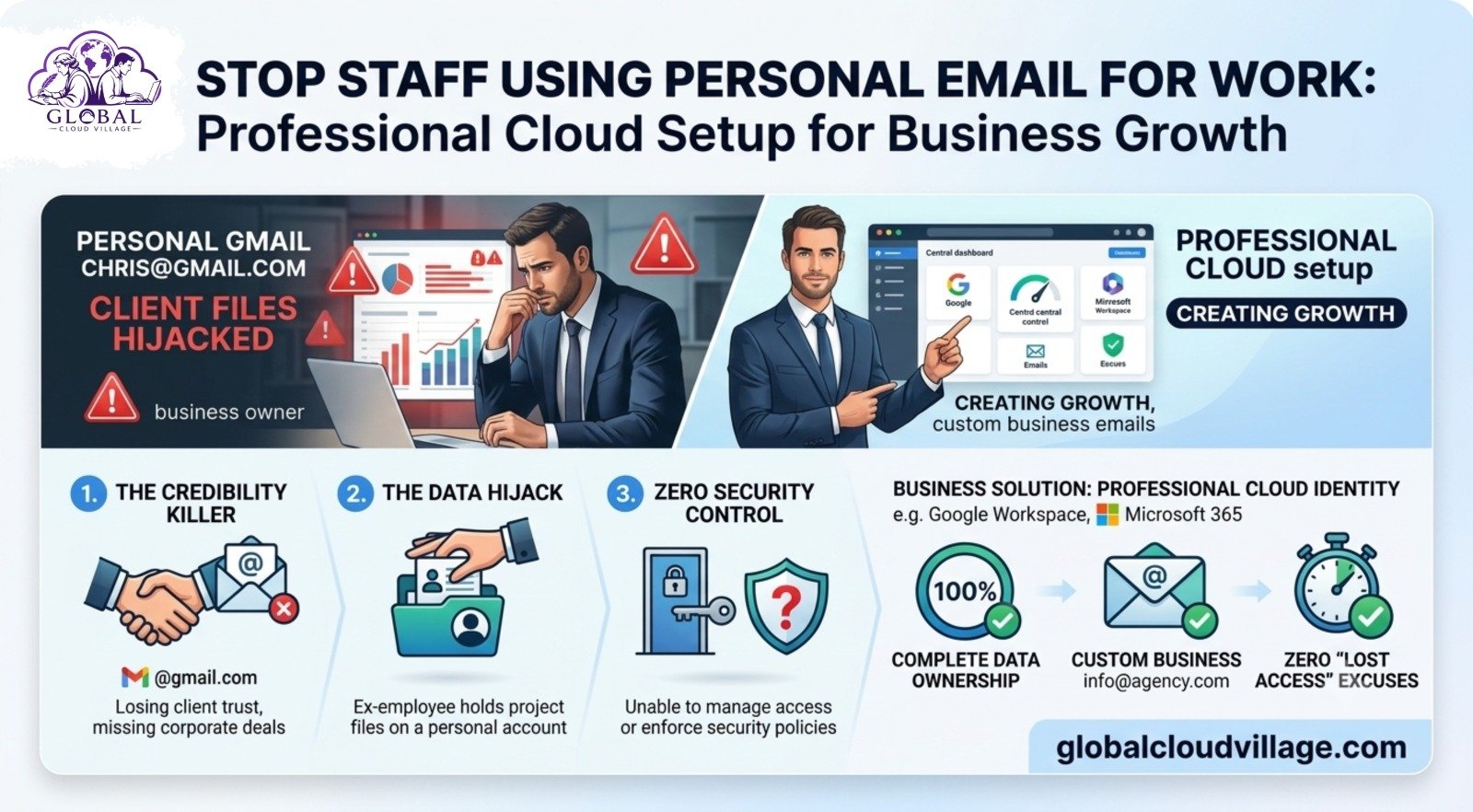
The solution is clear: Deploy a Professional Cloud Identity Setup using Google Workspace or Microsoft 365. It gives you one central administrative dashboard, custom business emails, and complete, legally protected data ownership.
Why Personal Emails Are Killing Your Business Growth
I’ve audited dozens of growing firms that treat email infrastructure as an afterthought. It almost always results in three structural blindspots:
1. The Credibility Killer
Imagine pitching a 5,000,000 PKR corporate contract to a multinational firm. You send over the formal proposal from ceo.agencycompany@gmail.com.
To a corporate procurement department, that free email address screams: “We operate out of a living room, lack proper compliance, and might disappear tomorrow.” Corporate professionalism begins at your custom domain name.
2. The Data Hijack
When an employee creates documents or interacts with clients on a personal Gmail account, they legally own that data environment—not your company. If they leave on bad terms, they take your client lists, financial forecasting sheets, and proprietary strategy documents with them. You cannot delete files from an account you do not control.
3. Zero Security Control
Personal email accounts rarely have strict security baselines enforced. If an employee’s personal Gmail gets compromised because they used a weak password on a public Wi-Fi network, your confidential business records are instantly exposed to threat actors.
The Reality: Running your corporate operations on free email accounts makes you look like an amateur while leaving your core intellectual property completely unprotected.
What is a Professional Cloud Identity Setup?
A Professional Cloud Identity Setup is a centralized identity management system where you register your corporate business domain (e.g., yourfirm.com) and issue controlled, secure corporate identities to your team.
Think of it as building a digital office complex where you hold the master keys.
[Master Admin Console]
│
├──► Enforces 2FA across all users
├──► Grants role-based access to Company Drive
└──► Instantly wipes data from ex-employee devices
- Custom Addresses: Your team uses employee@yourfirm.com instead of employee123@gmail.com.
- Total Ownership: Every file, email, and spreadsheet created automatically belongs to the business entity forever.
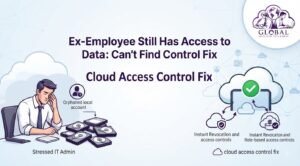
- Instant Revocation: You retain the absolute power to click one button and immediately lock an ex-employee out, keeping your data safely behind on your company servers.
How to Set Up a Professional Cloud Identity in 3 Days
You do not need a computer science degree or a dedicated IT department to build a secure cloud perimeter. You can easily choose between the two major market leaders:
Option 1: Google Workspace (The Modern Standard)
- Approximate Cost: ~1,700 to 3,500 PKR / user/month (Business Starter or Standard tiers).
- Core Offerings: Gmail mapped to your domain, secure Google Drive storage (30GB to 2TB per user), Docs, Sheets, and Google Meet.
- Best for: Creative agencies, fast-moving startups, and teams that rely heavily on real-time, browser-based collaboration.
Option 2: Microsoft 365 (The Enterprise Framework)
- Approximate Cost: ~1,700 to 4,500 PKR / user/month (Business Basic or Standard tiers).
- Core Offerings: Professional Outlook mapped to your domain, Microsoft Teams, OneDrive cloud storage, and advanced access to cloud and desktop Word and Excel.
- Best for: Traditional corporate firms, financial consultants, and operations deeply integrated into the desktop Microsoft ecosystem.
The 5-Step Transition: Moving from Free to Secure
Follow this deployment path to systematically secure your company’s digital identity:
Step 1: Purchase and Verify Your Corporate Domain
Navigate to a trusted registrar (such as Namecheap, GoDaddy, or Hostinger) and register yourcompany.com. Once secured, sign up for your chosen cloud platform. The setup wizard will prompt you to add a quick verification record to your domain’s DNS settings to verify ownership.
Step 2: Establish Your Organizational Email Aliases
Before adding individual staff accounts, set up your primary corporate aliases. These function as functional routing mailboxes, do not cost extra, and keep your business highly organized:
- info@yourcompany.com (For inbound website leads)
- billing@yourcompany.com (For vendor and client invoices)
- hr@yourcompany.com (For talent acquisition)
Once established, create distinct, individual accounts for your active team members (e.g., zain@yourcompany.com).
Step 3: Enforce the “Data Ownership” Architecture
Configure your centralized cloud storage using Google Shared Drives or Microsoft SharePoint. Implement a strict, non-negotiable operational rule: No business document may be created or stored outside this shared drive infrastructure.
When data assets are housed inside the corporate Shared Drive, the business entity remains the absolute legal owner, regardless of who originally authored the file.
Step 4: Toggle Core Security Protocol Switches
Log directly into your master Admin Console and enforce three critical security settings:
- Mandatory 2FA/MFA: Require all users to activate Multi-Factor Authentication within a strict 7-day window.
- Disable External Sharing: Block users from sharing internal financial sheets, customer databases, or strategy documents outside your corporate domain without admin authorization.
- Mobile Device Management (MDM): Enable basic MDM protocols so you can remotely wipe corporate data profiles from an employee’s personal smartphone if it is lost, compromised, or stolen.
Step 5: Migrate Historical Data and Cut the Cord
Give your team a hard 48-hour deadline. Utilize the built-in, automated migration tools provided within Google Workspace or Microsoft 365 to port old email threads and critical files from their personal accounts into their new corporate workspaces. Once completed, ban the use of personal emails for any official company business.
Why Corporate Email Architecture Wins in 2026
Allowing data to leak into personal inboxes is a massive operational risk that modern vendors cannot afford to take.
According to data from the Gartner Operational Risk Report, 62% of small-to-medium businesses that experience a significant data breach via compromised employee credentials close down entirely within six months of the event.
Furthermore, empirical data published by the Harvard Business Review reveals that corporate B2B clients are 74% more likely to respond to a vendor proposal, procurement bid, or cold outreach if it originates from a custom business domain rather than a free email provider. A custom domain demonstrates long-term intent, operational maturity, and compliance with standard data protection regulations.
Real-World Case Study: The Missing Pitch Deck Disaster
Consider a fast-growing tech consulting firm operating out of Islamabad with a team of 12 remote developers. To save a few thousand rupees a month, the firm allowed its engineering team to collaborate entirely via personal Gmail accounts.
The team spent three weeks building a highly proprietary, custom software architecture pitch deck for a major national telecom operator. On a Tuesday night, following an abrupt dispute over an unpaid project bonus, the lead developer walked out.
Because the master presentation deck was hosted on his personal Google Drive account, he simply revoked access and locked the folder. The entire presentation vanished from the company’s view. The management team could not access their own intellectual property, missed the critical telecom pitch deadline, and lost out on a potential multi-million PKR contract.
Following the disaster, we migrated their infrastructure to a secure Google Workspace setup within 48 hours:
- Moved all active source code and client portfolios into corporate repositories.
- Enforced domain-level file ownership rules.
If a developer decides to leave the company today, their system access can be completely severed in under four seconds, while every line of their work remains perfectly intact on the corporate server.
Cost vs. Financial Risk Matrix
Let’s break down the basic monthly math for a standard 5-person team:
| Operational Metric | Free Personal Accounts | Professional Cloud Identity Setup |
| Monthly Cost (5 Users) | 0 PKR | ~8,500 PKR / month |
| Data Ownership | Retained by individual employees | Held 100% by the business entity |
| Corporate Image | Unprofessional / Short-term | Enterprise-grade / Scalable |
| Potential Breach Liability | High Risk (No central audit logs) | Insured via 2FA, MDM, & Admin Controls |
The Financial Math: A single leaked customer directory, a compromised financial sheet, or a missed contract due to looking unestablished can easily cost your firm 500,000 PKR to 2,000,000 PKR in lost revenue. Investing in a professional cloud identity setup is simply highly effective insurance for your business assets.
The 3 Frequent Pitfalls to Avoid
- Sharing a Single Corporate Account: Purchasing one generic account (e.g., info@company.com) and handing the password out to four different employees to save money completely breaks your security structure. You lose all individual audit trails, and if one employee changes the credentials, your entire team gets locked out.
- Neglecting Admin Account Redundancy: The master administrator profile must be backed up with a secure recovery phone number and physical, offline backup codes. Losing the master admin password can result in weeks of validation loops with Google or Microsoft support.
- Allowing Auto-Forwarding to Personal Boxes: Ensure your admin dashboard blocks users from configuring automatic email forwarding rules to external domains. If left unblocked, proprietary data will continue to stream out into unsecured personal environments automatically.
Conclusion: Stop Renting Your Identity. Own Your Infrastructure.
In 2026, corporate data is the single most valuable asset your business owns. Letting your team use personal Gmail accounts to run your daily operations is the digital equivalent of letting your retail staff run your storefront transactions using their personal credit card machines.
Deploying a professional cloud identity setup establishes a clean, legally sound boundary between your company’s intellectual property and your team’s personal digital lives. It projects absolute authority to your target market, protects your hard-earned assets, and ensures that when your staff moves on, your data stays exactly where it belongs: with you.
Frequently Asked Questions About Professional Cloud Setups
Can we migrate our old emails from personal Gmail to Google Workspace without losing history?
Yes, absolutely. Both Google Workspace and Microsoft 365 feature native, automated data migration tools within their admin dashboards. By entering the credentials of the source personal accounts, the system can securely copy and import all historical email threads, folders, and calendar items into the new custom business inbox.
What happens to our cloud storage accounts if an employee changes their personal password?
If the files were created inside a corporate Shared Drive or SharePoint directory, the employee’s personal password changes have zero effect on your data access. The company retains the master ownership rights to the files. Even if the user deletes their account or leaves, the files remain safely stored within your company’s cloud space.
Is it possible to route emails sent to our old personal accounts to our new business addresses?
Yes. During the transition phase, you can configure standard email forwarding rules within the old personal settings to forward messages to your new business email address. However, you should strictly train your staff to reply to those forwarded threads exclusively from their new corporate email accounts to educate clients on your new address.
Do we need to buy separate software licenses if our team already uses desktop Microsoft Office?
It depends on the tier you choose. Lower-tier cloud subscriptions (like Microsoft 365 Business Basic or Google Workspace Starter) grant full access to feature-rich, web-browser-based versions of Excel, Word, Sheets, and Docs. If your team requires local, premium desktop installations of Excel and Word, you simply opt for the mid-tier Business Standard subscription.
Ready to Secure Your Enterprise Infrastructure?
Transitioning your corporate communication onto dedicated, owned cloud systems is an essential foundation for scaling your enterprise toward total strategic freedom. The complete deployment toolkit includes DNS configuration cheat sheets, employee onboarding guides, and mobile security policies.
Get your copy of Global Cloud Village and 4 Day Work Week on Amazon:
About the Author: Global Cloud Village
Global Cloud Village designs clear, highly practical operational frameworks focused on business automation, data security, and long-term scaling strategies. We assist ambitious founders, authors, and small businesses to transition away from fragmented legacy habits and deploy resilient, institutional-grade cloud systems. Explore our operational strategies at globalcloudvillage.com.
Tags: Professional Cloud Identity Setup, Small Business, SME, Business Productivity, Employee Wellbeing, Work Life Balance, Leadership, Business Growth, Future of Work, Amazon Kindle Book, Business Book, Productivity, Entrepreneurs, Management