Secure Cloud Sharing Guide: How SMEs Can Share Project Files Safely with Freelancers
Why Every Business Needs a Secure Cloud Sharing Guide
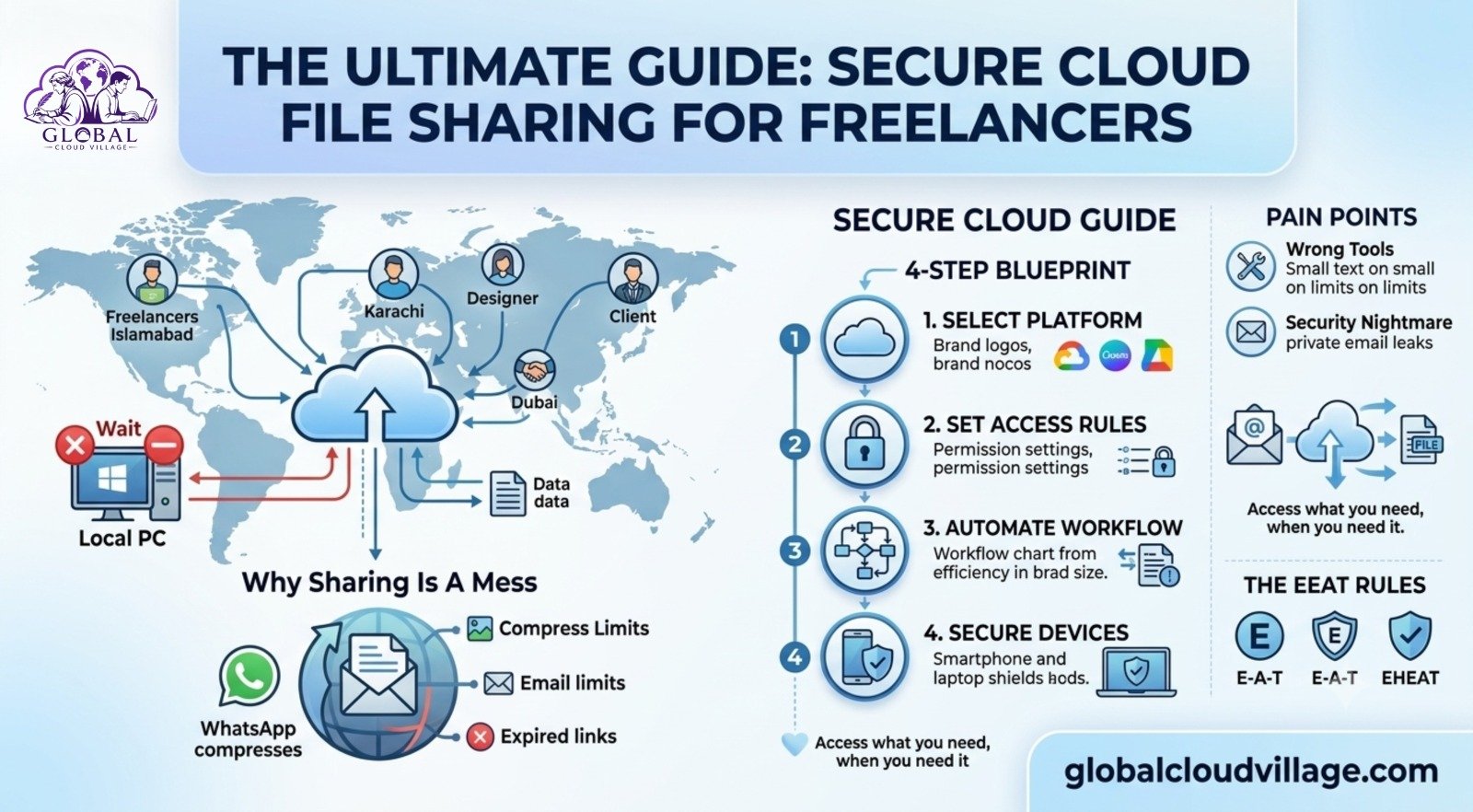
The deadline is tomorrow.
Your designer is working from Islamabad.
Your content writer is based in Karachi.
Your client is in Dubai.
The latest project files?
They’re sitting on a desktop computer in your office.
You send a WhatsApp message.
“Can you send me the logo?”
The reply comes back.
“It’s too large for WhatsApp.”
You try email.
The attachment exceeds the size limit.
Someone shares a Google Drive link.
The link has expired.
The project slows down—not because your team lacks talent, but because nobody can access the files they need.
This is exactly why every SME needs a Secure Cloud Sharing Guide.
Modern businesses don’t lose projects because of creativity.
They lose them because of poor collaboration.
Why File Sharing Becomes a Problem
Many SMEs still rely on tools that were never designed for professional collaboration.
Messaging Apps Aren’t File Management Systems
WhatsApp compresses files.
Email limits attachment sizes.
Temporary transfer links expire.
These tools work occasionally—not for ongoing business operations.
Security Risks Increase
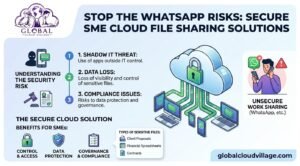
Sensitive client files often end up inside personal email accounts or personal cloud storage.
When freelancers leave, your confidential information may remain on their devices indefinitely.
Multiple File Versions Create Confusion
Every business has seen files named something like:
Project_Final.psd
Project_Final_v2.psd
Project_Final_Updated_Final.psd
Nobody knows which version is correct.
Mistakes become inevitable.
Everyone Sees Too Much
Without proper permissions, freelancers may accidentally gain access to confidential business documents unrelated to their work.
Professional collaboration requires controlled access.
What Is Secure Cloud Sharing?
A Secure Cloud Sharing Guide helps businesses create structured digital workspaces where every project has its own secure environment.
Think of it as a private project room.
Each freelancer receives access only to the resources required for their assignment.
Clients see their own files.
Designers access design folders.
Finance teams access invoices.
Nobody sees information they shouldn’t.
Step 1: Choose One Cloud Platform
Avoid managing multiple storage systems.
Standardize on one primary platform.
Popular options include:
Google Workspace
Excellent for documents, spreadsheets, presentations, and general collaboration.
Microsoft OneDrive
Ideal for businesses already using Microsoft 365.
Dropbox Business
Excellent for large creative files, videos, and design assets.
WeTransfer Pro or Filestage
Useful for creative reviews and client approvals.
Business accounts should always replace personal storage accounts.
Step 2: Create a Consistent Folder Structure
Organization prevents confusion.
Every project should follow the same structure.
Example:
- Project Brief
- Working Files
- Final Deliverables
- Client Feedback
Inside working files, separate folders for:
- Design
- Content
- Development
- Marketing
Freelancers immediately understand where information belongs.
Step 3: Control File Permissions
Cloud security depends on proper permissions.
Editors
Internal staff and trusted freelancers.
They can upload, edit, and organize files.
Commenters
Clients can review documents and provide feedback without changing project files.
Viewers
Stakeholders can access information without making changes.
Temporary project access should automatically expire after project completion.
Step 4: Enable Version Control
Modern cloud platforms automatically preserve previous versions.
If someone accidentally deletes or edits a file, earlier versions can be restored instantly.
Feedback should remain inside the cloud platform instead of scattered across emails and messaging apps.
Centralized communication reduces confusion.
Four Security Best Practices
Protecting client information should always remain a priority.
Use Confidentiality Agreements
Every freelancer should sign a simple confidentiality agreement before receiving access.
Enable Multi-Factor Authentication
Two-factor authentication significantly improves account security.
Restrict Downloads
Highly confidential proposals or pricing documents can remain view-only.
Monitor Activity
Cloud platforms record who accessed files and when.
Audit logs improve accountability.
Why Secure Cloud Sharing Matters More Than Ever
Freelancers have become essential to modern SMEs.
Design.
Content writing.
Software development.
Marketing.
Video production.
Businesses increasingly depend on distributed teams.
Clients now expect professional security practices before sharing sensitive business information.
Modern cloud collaboration builds confidence.
Real Business Example
A marketing agency managing multiple freelancers struggled with constant file confusion.
Design files disappeared.
Clients reviewed outdated versions.
Projects missed deadlines.
The agency implemented:
- Google Drive for collaboration
- Dropbox for video production
- Filestage for client reviews
Within one month:
- Revision rounds decreased by 50%.
- Project delivery improved by 40%.
- Client satisfaction increased significantly.
The agency later increased service pricing because clients valued the improved process.
Recommended Tool Stack
Different teams often benefit from specialized cloud tools.
Designers
Google Drive
Figma
Filestage
Writers
Google Docs
Grammarly
Google Drive
Developers
GitHub
Google Drive
Video Teams
Dropbox Business
Frame.io
Keep technology simple.
Too many tools reduce productivity.
Common Mistakes to Avoid
Creating New Links Every Time
Maintain one shared project workspace throughout the project lifecycle.
Poor File Naming
Use consistent naming standards.
Include:
- Client name
- Project name
- Version number
- Date
Forgetting to Remove Access
Immediately revoke freelancer permissions once projects conclude.
Good security requires continuous management.
Why Every SME Needs a Secure Cloud Sharing Guide
Modern businesses collaborate beyond office walls.
Freelancers.
Remote employees.
Clients.
Partners.
Cloud collaboration makes these relationships faster and more secure.
The businesses that organize information professionally deliver projects faster, protect sensitive data, and build greater client confidence.
Final Thoughts on Secure Cloud Sharing Guide
Professional collaboration begins with professional systems.
A Secure Cloud Sharing Guide helps businesses eliminate file confusion, improve security, simplify collaboration, and deliver projects more efficiently.
If your business regularly works with freelancers, agencies, or distributed teams, cloud-based file management is no longer optional.
It’s part of running a modern business.
For practical implementation checklists, cloud collaboration frameworks, security best practices, and real SME case studies, explore Global Cloud Village.
Get the Book
Global Cloud Village provides practical cloud collaboration strategies, secure file-sharing frameworks, digital workplace implementation guides, and real-world examples designed specifically for SMEs.
Available now on Amazon Kindle:
https://www.amazon.com/dp/B0H3SF414R
Frequently Asked Questions
What is secure cloud sharing?
Secure cloud sharing allows businesses to share files through protected cloud platforms with controlled permissions, encryption, and activity tracking.
Which cloud platform is best for SMEs?
Google Workspace, Microsoft OneDrive, and Dropbox Business are among the most popular choices, depending on your business needs.
Is cloud sharing safer than email?
Yes. Cloud platforms provide encryption, permission controls, version history, audit logs, and secure authentication that email cannot offer.
Can freelancers securely access client files?
Yes. Role-based permissions allow freelancers to access only the specific folders and documents required for their work.
Suggested Internal Links
- Books
- Global Cloud Village
- Cloud Computing
- Digital Transformation
- Remote Work
- Cybersecurity
- Business Productivity
- Contact
External References
- Google Workspace
- Microsoft OneDrive
- Dropbox Business
- Filestage
- Frame.io
- GitHub
- Microsoft 365
- Google Drive Security Documentation