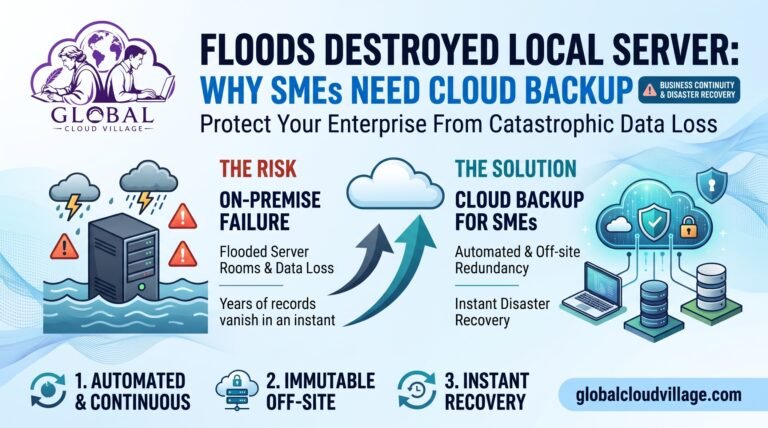
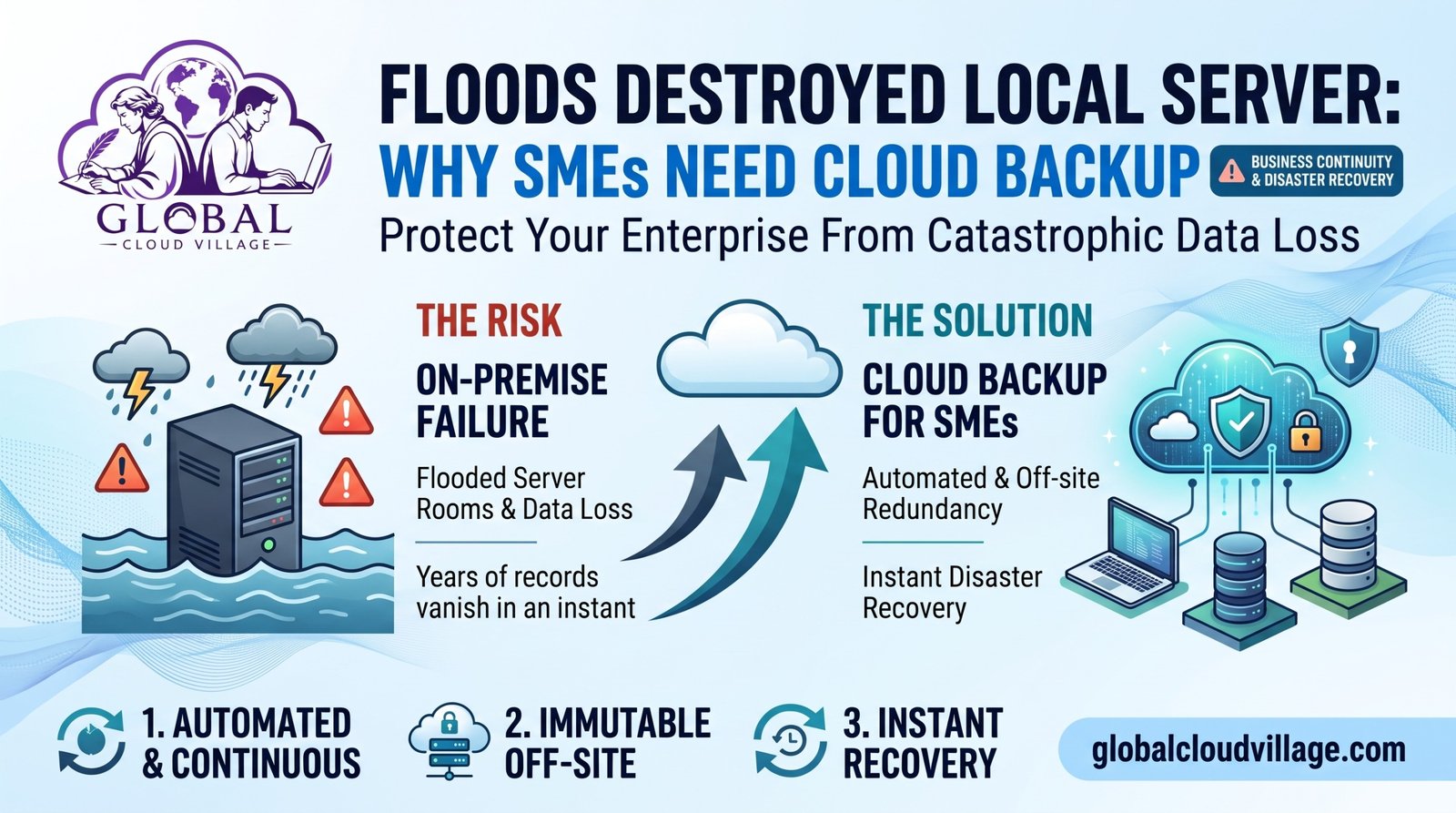
Heavy seasonal rainfall overwhelms regional drainage systems, floodwaters breach the ground-floor commercial park, and your office server room is submerged under feet of muddy water. For many growing SMEs, the physical destruction of an on-premise server is an absolute catastrophe. Years of customer records, financial ledgers, proprietary designs, and unbacked local databases vanish in an instant, leaving leadership staring at a silent screen and an insurmountable recovery bill.
For years, standard business advice told you to manage disaster recovery by manually plugging an external hard drive into a server every Friday afternoon or stacking backup tapes in a desk drawer. But manual physical backups cannot protect your data against sudden natural disasters, fires, or catastrophic floods. If your business relies on local hardware storage without automated off-site redundancy, you are gambling your entire corporate existence on a single physical box.
To insulate your enterprise from catastrophic data loss and ensure instant disaster recovery, you need a modern operational paradigm: implementing automated, immutable cloud backup architecture.
The Hidden Vulnerabilities of Local Server Storage
Before disaster strikes your facility, you must identify where your physical data storage creates fatal operational risk. In a standard traditional SME workspace, data vulnerability is driven by three major culprits:
- The Single-Point-of-Failure Hardware Trap: Storing your company database on a physical tower sitting in an office closet or ground-floor server room means any localized flood, fire, or plumbing leak destroys your entire digital history instantly.
- The Human Error Backup Void: Relying on employees to remember to swap external backup drives or verify backup completion leads to missed cycles, corrupted files, and outdated archives when disaster actually hits.
- The Lengthy Physical Restoration Delay: Recovering data from damaged physical hardware or manual local tapes requires specialized forensic recovery services that take weeks or months—time your cash flow simply cannot survive.
Plaintext
[Local Server Room Flooding] ──► [Physical Destruction of Hardware] ──► [Complete Data Erasure] ──► Permanent Business Failure
│
└──► [Manual Backup Neglect] ──► [Zero Restorable Archives]
Phase 1: Automated Cloud Backup as an Impregnable Shield
The single fastest way to achieve absolute disaster resilience is to remove your data from physical office jeopardy through automated cloud replication.
Running data backups on manual local drives exposes your enterprise to irreversible loss. When you migrate your data retention strategy to an encrypted cloud backup infrastructure (such as automated cloud-native snapshots on AWS, Azure, Google Cloud, or managed ERP cloud backups), your files are continuously duplicated and stored across geographically diverse, secure data centers.
- Continuous Automated Replication: Modern cloud backup systems run silent background snapshots of your databases every hour, day, or week without requiring manual staff intervention or disrupting daily workflows.
- Geographic Redundancy: Cloud data is replicated across multiple distant server facilities, meaning even if a regional flood or natural disaster wipes out your entire city’s power grid, your company data remains pristine and accessible.
Phase 2: Instant Disaster Recovery and Business Restoration
While cloud replication secures your data against physical destruction, establishing automated restoration protocols ensures your business gets back online in minutes rather than months.
By leveraging cloud disaster recovery (DR) frameworks, you achieve an immediate transition from emergency paralysis to full operational readiness:
- Rapid Virtual Server Spin-Up: In the event of a local server destruction, cloud backup systems allow your IT team to spin up fully functional virtual instances of your database in the cloud almost instantly.
- Guaranteed Data Integrity: Immutable cloud backups protect against ransomware and accidental deletion, locking backup archives so malicious software cannot overwrite or encrypt your restore points.
- Heightened Operational Velocity: Teams operating via cloud backup protocols experience zero permanent data loss, executing client restorations and project continuity with seamless digital resilience.
Step-by-Step Blueprint to Implement Cloud Backup
Transitioning your business to a secure, cloud-backed disaster recovery model does not require a disruptive overhaul. Follow this structured four-step implementation guide:
- Audit Current Data Storage and Backup Gaps: Identify every location where critical business data resides and evaluate your current backup frequency, storage security, and restoration speed.
- Select a Scalable Cloud Backup Provider: Partner with a certified enterprise cloud backup vendor or deploy integrated cloud backup modules within your existing cloud ERP platform.
- Automate Continuous Snapshot Schedules: Program your cloud infrastructure to execute automated, encrypted backups of all databases, financial records, and operational files on a continuous schedule.
- Test Disaster Recovery Protocols Regularly: Conduct quarterly mock restoration drills to verify that your IT team can successfully retrieve and launch backed-up data from the cloud within minutes.
The Backup & Recovery Comparison Matrix
| Operational Factor | Traditional Local Hard Drive / Tape Setup | Modern Automated Cloud Backup Model | The Efficiency Gain |
| Disaster Vulnerability | Total data destruction if local office experiences floods, fires, or theft. | Data safely replicated across distant, secure cloud server farms. | 100% protection against localized physical disasters. |
| Backup Reliability | Prone to human forgetfulness, corrupted disks, and missed schedules. | Continuous automated background snapshots requiring zero manual work. | Guaranteed data integrity and zero missed backup cycles. |
| Restoration Speed | Weeks or months of expensive forensic hardware recovery. | Rapid virtual server spin-up and instant file retrieval in minutes. | Immediate business continuity with virtually zero downtime. |
| Financial Impact | Catastrophic data loss leading to bankruptcy, legal liability, and ruin. | Predictable monthly cloud security overhead with total risk mitigation. | Ultimate safeguard for enterprise survival and brand trust. |
Conclusion: Modernize Data Protection, Secure Your Enterprise Future
The physical destruction of a local office server by floods or natural disasters is no longer just an unfortunate act of God; it is a direct consequence of outdated on-premise data storage habits.
By letting go of vulnerable physical hard drives and embracing automated cloud backup architecture, you protect your company from catastrophic data loss while building an unbreakable operational foundation.
Take control of your disaster preparedness, eliminate data vulnerability, and position your SME for long-term operational security.
Frequently Asked Questions About Cloud Backup
Will moving our backups to the cloud expose our sensitive business data to security breaches?
Not at all. Modern cloud backup providers utilize enterprise-grade encryption (both in transit and at rest), multi-factor authentication, and strict compliance certifications, making cloud storage significantly more secure than an unencrypted local server sitting in an office closet.
How quickly can our business restore operations after a disaster using cloud backup?
Depending on the scope of your system, cloud disaster recovery solutions allow businesses to restore databases and spin up virtual servers in a matter of minutes or hours, bypassing the weeks of physical hardware replacement required by traditional setups.
Is cloud backup expensive for small and medium-sized enterprises?
Cloud backup operates on a predictable, scalable subscription model based on storage volume. When weighed against the catastrophic cost of losing your entire company database in a flood, cloud backup is the most cost-effective insurance policy an SME can buy.
Scale Your Operations With Absolute Clarity
Escaping high operational risk and legacy data vulnerabilities is the vital first step toward maximizing your enterprise profitability. Discover the complete blueprint for running a highly productive, streamlined business without technical roadblocks.
Get your copy of Global Cloud Village and Disaster Recovery Strategies on Amazon:
About the Author: Global Cloud Village
Global Cloud Village translates complex digital tech systems into clear, human-centric strategies for growing SMEs, founders, and industry leaders. We help businesses replace clunky, fragmented legacy habits with automated, high-adoption cloud architectures that protect data and build operational scale. Explore our optimization insights at globalcloudvillage.com.
Tags: Cloud Backup, Disaster Recovery, SME Data Security, Local Server Failure, Business Continuity, Cloud Migration