Fire in the Office Destroyed All Records: Disaster Recovery With Cloud
The call comes in the middle of the night.
Smoke has filled the office building, and emergency services are battling a severe structural fire.
By morning, the flames are extinguished, but the physical reality sets in.
Desks, filing cabinets, paper contracts, computers, and local servers have been destroyed by fire and water.
For a small and medium-sized enterprise (SME), this is more than a property loss.
It can become a data loss crisis.
When vital corporate records, legal documents, customer information, accounting records, and operational files exist only on physical office equipment or paper, a single localized disaster can wipe out years of business history.
Insurance may help replace equipment.
It cannot instantly recreate years of business data.
This is where SME Cloud Disaster Recovery becomes essential.
A properly designed cloud disaster recovery strategy keeps critical data and systems available outside the physical office, giving the business a path toward recovery even when the workplace itself becomes inaccessible.
The objective is simple:
A destroyed office should not mean a destroyed business.
Why SME Cloud Disaster Recovery Matters
Many SMEs think about disaster recovery only after something goes wrong.
That is usually too late.
A fire is only one possible disaster.
Businesses can also face:
- Flooding
- Severe storms
- Building damage
- Theft
- Hardware failure
- Power incidents
- Cyberattacks
- Accidental deletion
- Human error
The common factor is that your physical office should not be the only place where your critical business information exists.
A strong SME Cloud Disaster Recovery strategy creates geographic separation between the business and its data.
Instead of keeping the only copy of important information inside the same building, businesses can use appropriately configured cloud storage, backup, replication, and recovery systems.
The result is greater resilience when the unexpected happens.
The Fatal Flaw of On-Premise Physical Storage
Relying exclusively on physical office servers, external hard drives, desktop computers, and filing cabinets creates several serious vulnerabilities.
Total Physical Vulnerability
If the primary server and its backup drive are located in the same office, they can potentially be destroyed by the same event.
Having two copies does not necessarily mean having two safe copies.
A backup located next to the original is still vulnerable to the same fire, flood, theft, or physical disaster.
Extended Operational Paralysis
If employees cannot access customer records, accounting information, project files, or operational systems, normal business activities can stop.
The company may be unable to:
- Process orders
- Contact customers
- Access contracts
- Prepare invoices
- Retrieve financial records
- Continue projects
- Support employees
The longer the disruption continues, the greater the potential business impact.
Unrecoverable Historical Records
Some information is particularly difficult to recreate.
Think about:
- Signed contracts
- Historical invoices
- Tax documentation
- Customer records
- Supplier agreements
- Employee documentation
- Product specifications
- Project archives
Losing these records can create operational and compliance problems long after the physical building has been repaired.
The Physical Disaster Chain
A traditional setup may look like this:
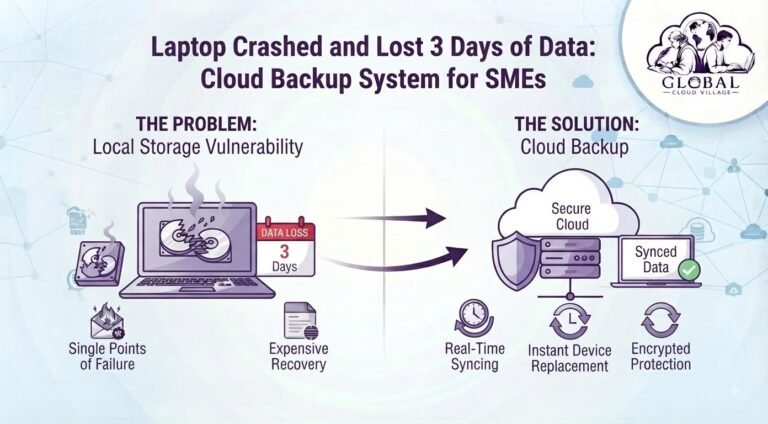
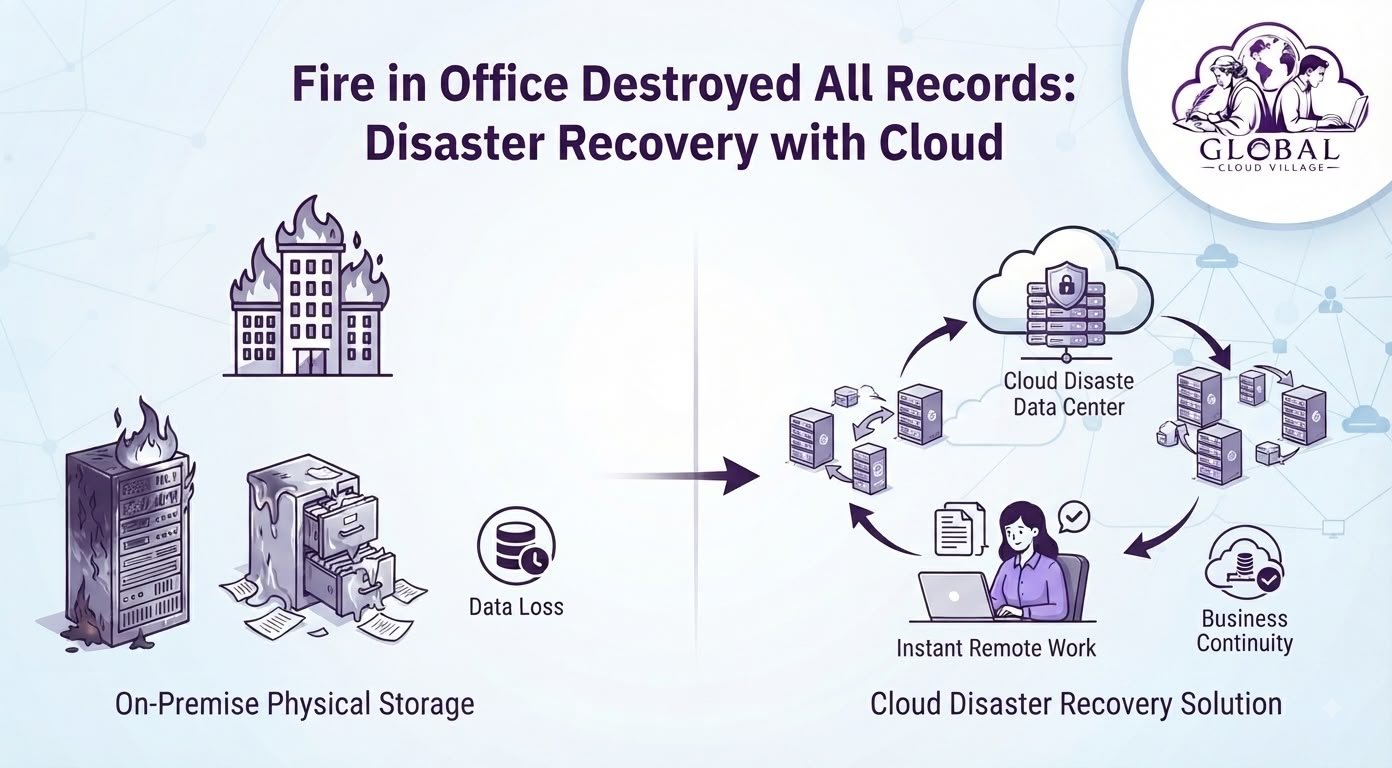
Office Fire → Local Servers Destroyed → Local Backups Destroyed → Data Inaccessible → Business Disruption
A resilient architecture aims for:
Office Disaster → Local Systems Unavailable → Cloud Recovery Environment → Remote Access → Business Continuity
The difference is not the disaster itself.
The difference is whether the business has prepared for it.
The SME Cloud Disaster Recovery Solution
Cloud infrastructure can remove the physical office as a single point of failure, but only when it is properly designed.
Moving files to the cloud is not automatically the same as having a complete disaster recovery strategy.
A serious recovery plan should consider:
- Backup
- Replication
- Recovery objectives
- Data retention
- Access controls
- Authentication
- Recovery testing
- Application dependencies
- Remote working
- Business continuity
Off-Site Data Protection
Critical business information should have appropriate copies outside the physical location where the primary systems operate.
This geographic separation helps protect data when the office itself becomes unavailable.
Remote Business Access
If your business applications and documents are accessible through secure cloud services, employees may be able to continue working from another location.
This could mean working from:
- Home
- A temporary office
- Another company location
- A disaster recovery facility
The exact recovery capability depends on the systems and architecture used by the business.
Automated Backups
Manual backups depend heavily on people remembering to perform them.
Automated backup processes reduce the possibility of someone simply forgetting to create the latest copy.
Backup schedules should be designed according to how much data the organization can afford to lose.
Recovery Testing
A backup that has never been tested should not automatically be considered a reliable recovery plan.
Businesses should periodically verify that critical information can actually be restored.
This is one of the most important parts of SME Cloud Disaster Recovery.
Step-by-Step Blueprint for SME Cloud Disaster Recovery
1. Identify Critical Business Data
Create an inventory of information your business cannot afford to lose.
This may include:
- Financial databases
- Customer records
- Contracts
- Accounting files
- Employee records
- Project documents
- Website data
- CRM information
- ERP databases
- Operational documentation
Not every file needs the same recovery priority.
2. Identify Physical Single Points of Failure
Ask a simple question:
“What happens if this office disappears tomorrow?”
Then identify which systems would become unavailable.
Look for:
- Local servers
- Desktop-only files
- Network-attached storage
- External hard drives
- Paper archives
- Locally installed applications
- Office-based databases
This exercise often reveals risks that are invisible during normal operations.
3. Move Critical Data to Appropriate Cloud Systems
Consider which information should be stored in:
- Cloud document platforms
- Cloud ERP systems
- Cloud CRM platforms
- Managed databases
- Secure cloud storage
- Dedicated backup systems
The objective is not to move everything blindly.
The objective is to create a resilient architecture around business-critical information.
4. Configure Automated Backups
Determine how frequently critical information needs to be backed up.
For example:
Critical transactional data → More frequent protection
Operational documents → Scheduled backups
Long-term archives → Retention-focused storage
Your backup frequency should reflect how much data the organization can realistically afford to lose.
5. Establish Recovery Objectives
Two important concepts should be defined.
Recovery Point Objective (RPO): How much recent data can the business afford to lose?
Recovery Time Objective (RTO): How quickly must the business restore operations?
For example, an organization might decide that its accounting system needs a shorter recovery window than an old marketing archive.
These decisions help determine the appropriate technical architecture.
6. Create a Business Continuity Plan
Technology alone is not enough.
Employees need to know what happens when the office becomes unavailable.
Document:
- Emergency contacts
- Remote working procedures
- Cloud access procedures
- Critical application access
- Data recovery responsibilities
- Customer communication procedures
- Supplier communication
- Management responsibilities
A disaster recovery plan should be understandable by the people expected to use it.
7. Test the Recovery Process
Run controlled recovery tests.
Ask your team to restore a sample:
- Customer document
- Financial record
- Database
- Project folder
- Business application
Then measure:
How long did recovery take?
Was the recovered information complete?
Did employees know what to do?
Were credentials available?
Did the restored system actually work?
Testing converts a theoretical backup strategy into a practical recovery capability.
Cloud Disaster Recovery vs. On-Premise Storage
| Operational Factor | Traditional On-Premise Storage | Cloud Disaster Recovery | Business Continuity Benefit |
| Physical Risk | Exposed to local fire, flood, theft, and building damage | Data can be protected outside the physical office | Reduced geographic risk |
| Backup Location | Often stored near the primary systems | Can be stored separately from the office | Better disaster resilience |
| Remote Access | Limited if systems are office-dependent | Cloud systems can support secure remote access | Greater operational flexibility |
| Recovery | May require physical hardware replacement | Can use cloud-based recovery resources where configured | Potentially faster recovery |
| Scalability | Hardware must be purchased and maintained | Cloud resources can scale according to requirements | More flexible infrastructure |
| Management | Requires significant physical infrastructure management | Many services provide managed infrastructure | Reduced operational burden |
| Testing | Often difficult and disruptive | Recovery procedures can be tested according to system design | Better preparedness |
Cloud Backup Is Not the Same as Disaster Recovery
This distinction is critical.
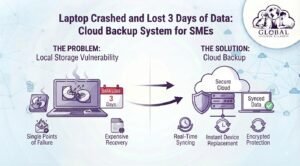
Cloud backup creates protected copies of data.
Disaster recovery defines how systems and data will be restored after an incident.
A business may have cloud backups but still take days to recover because:
- Nobody knows how to restore them
- Applications depend on unavailable servers
- Credentials are inaccessible
- Recovery procedures have never been tested
- Employees do not know where to work
- The backup does not contain the required application data
That is why a complete SME Cloud Disaster Recovery strategy must go beyond simply purchasing cloud storage.
Protecting Paper Records
Cloud technology cannot automatically protect documents that were never digitized.
If your business still maintains critical paper records, determine which documents should be:
- Digitized
- Scanned
- Indexed
- Stored securely
- Backed up
- Retained according to applicable requirements
Consider prioritizing documents that would be extremely difficult or impossible to recreate.
A signed contract sitting in a filing cabinet does not become digitally recoverable until it has actually been digitized and appropriately protected.
The Hidden Cost of Business Downtime
The biggest cost of a disaster may not be the damaged computer equipment.
It may be the revenue lost while the business cannot operate normally.
Consider what happens when employees cannot access critical systems.
They may be unable to:
- Process sales
- Answer customer requests
- Deliver projects
- Generate invoices
- Access supplier information
- Manage inventory
- Process payroll
- Complete financial reporting
The financial impact grows with every hour of operational disruption.
This is why disaster recovery should be viewed as a business continuity investment, not merely an IT expense.
Build an SME Disaster Recovery Checklist
Before considering your business prepared, review the following:
Critical business data identified
Physical single points of failure documented
Important paper records identified
Off-site data protection implemented
Automated backups configured
Backup retention defined
Recovery Point Objectives established
Recovery Time Objectives established
Cloud access protected with strong authentication
Remote working procedures documented
Emergency contacts documented
Recovery responsibilities assigned
Backup restoration tested
Business continuity plan reviewed regularly
This checklist provides a practical starting point for SMEs building resilience.
Don’t Assume the Cloud Makes You Invincible
Cloud computing significantly changes how businesses can design resilient infrastructure.
But cloud services are not magic.
A poorly configured cloud environment can still experience:
- Accidental deletion
- Account compromise
- Misconfigured permissions
- Data loss
- Service outages
- Application failures
- Compliance problems
A resilient architecture therefore needs multiple layers of protection.
Think beyond:
“Our files are in the cloud.”
Think:
“Our critical systems have defined recovery objectives, protected backups, secure access, documented procedures, and tested restoration processes.”
That is a much stronger position.
Conclusion: Modernize Your Infrastructure, Protect Your Business From Disaster
An unexpected office fire should be a property disaster.
It should not automatically become a data disaster.
An SME cannot control every fire, flood, storm, hardware failure, or other unexpected event.
It can, however, control how prepared it is to recover.
A properly implemented SME Cloud Disaster Recovery strategy creates separation between the physical workplace and critical business information.
It gives your organization a better chance of continuing operations when the office is inaccessible.
It protects important records from being dependent on a single physical location.
And most importantly, it turns disaster recovery from an emergency reaction into a planned business capability.
Your office may be destroyed.
Your computers may need to be replaced.
Your employees may need to work somewhere else.
But your business data should not disappear with the building.
Frequently Asked Questions About SME Cloud Disaster Recovery
How Quickly Can a Business Recover Data From the Cloud After a Disaster?
There is no universal recovery time.
Recovery speed depends on the backup system, amount of data, internet connectivity, applications involved, recovery architecture, and defined RTO.
Some cloud services provide rapid access to protected data, while full system recovery may require additional steps.
The important point is to establish and test a realistic recovery target before a disaster occurs.
Is Cloud Disaster Recovery Too Complex or Expensive for a Small Business?
Not necessarily.
Cloud services allow SMEs to use infrastructure that would previously have required significant investment in physical hardware.
However, the correct solution depends on the business’s data volume, applications, recovery objectives, compliance requirements, and budget.
The cheapest backup is not necessarily the best recovery strategy.
What Happens to Our Office Hardware After a Disaster?
Physical equipment may need to be repaired or replaced.
That is why the recovery strategy should not depend entirely on office hardware.
If critical systems and data have appropriate off-site protection, the business may be able to restore operations using replacement devices and secure cloud access while the physical workplace is rebuilt.
How Often Should We Test Our Disaster Recovery Plan?
There is no single testing frequency that applies to every business.
Organizations should establish a testing schedule based on the importance of their systems and the risks they face.
Critical recovery processes should be tested regularly rather than assuming that backups will work when needed.
Does Cloud Backup Protect Against Ransomware Too?
It can provide an important recovery layer, but the design matters.
Businesses should consider protected versions, appropriate retention, access controls, isolated backups, and recovery testing.
Cloud backup should be part of a broader cybersecurity and disaster recovery strategy rather than the only defense against ransomware.
What Is the Difference Between RTO and RPO?
RTO, or Recovery Time Objective, defines how quickly a system should be restored.
RPO, or Recovery Point Objective, defines how much recent data the business can afford to lose.
Both should be established according to the business impact of each system.
Scale Your Enterprise Infrastructure With Greater Clarity
Eliminating infrastructure vulnerabilities and modernizing your technology stack can help your SME build a more resilient and sustainable operation.
The objective is not simply to store files somewhere else.
It is to create an infrastructure where your people, data, applications, and business processes can continue operating when unexpected events occur.
Get your copy of Global Cloud Village and 4 Day Work Week on Amazon:
For more publications and resources, explore the Amazon Author Profile.
About the Author: Global Cloud Village
Global Cloud Village translates complex digital technology systems into clear, human-centric strategies for growing SMEs, founders, and industry leaders.
We help businesses replace clunky, fragmented legacy processes with practical cloud architectures, automation, digital transformation, and operational strategies that support sustainable growth.
Explore more business optimization insights at globalcloudvillage.com.